Contents
You carefully collect Google reviews and showcase them on your website, yet they still don't show up in search results. How come your ratings don't appear while your competitors proudly display their stars? The answer often lies in missing or misconfigured schema markup, which stops search engines from displaying rich snippets.
When you use Review and AggregateRating schema correctly, this structured data turns plain customer reviews into eye-catching snippets. This guide explains step by step how to implement this structured data in JSON-LD, validate your code and sync your Google My Business reviews to boost your click-through rate and strengthen your local credibility.
For a small business, monbizness prices stay well below the cost of a customer lost to an unanswered review.
Review schema and SEO basics
Review schema is a standardized language that lets search engines understand your ratings. By using it correctly, you clearly tell Google that authentic, complete reviews are present, which activates the display of stars in the SERPs. Without this precise markup, even the best comments stay invisible to crawling bots. To see what this markup actually changes in the display, find out how to make stars appear in Google results.

What is Review schema?
The Review format in JSON-LD lets you structure a customer review of a product, service or local business. Four elements are essential: author (the reviewer), reviewRating with a numerical rating, datePublished in ISO-8601 format and reviewBody (the text of the review). This markup can be embedded in Product, LocalBusiness or Service through the review property, or used on its own with itemReviewed to clearly identify what is being reviewed. The properties of schema.org review markup and their variants are detailed in a dedicated guide.
Always remember to add bestRating and worstRating to define the rating scale, even if you use the classic 1-5 stars. For example, a rating of 4.5/5 comes with "bestRating":"5" and "worstRating":"1". Don't forget to include the canonical URL through url either, so that Google correctly associates the schema with the page concerned.
Why schema improves SEO
Structured data turns a simple list of reviews into an eye-catching visual result. Studies show that displaying ratings and the number of reviews in snippets can increase the click-through rate by 10 to 30%, without directly influencing rankings. Thanks to schema markup, you catch users' attention before they even read your meta description, which instantly strengthens your credibility. You still need to display your best customer reviews prominently on the page itself, since the markup must reflect the visible content.
Where to place JSON-LD markup
Insert your JSON-LD code in a <script type="application/ld+json"> tag, either in the <head> or just before the closing </body>. This position ensures that Google's bots will detect your structured data right away during the crawl, without affecting how your page displays. Be careful not to place this script in an inaccessible iframe or to load it only after a user action, which would make it invisible to search engines.
On WordPress, use a shortcode or edit the single.php file. For a static site, create a schema-reviews.js file and load it with the defer attribute for optimal execution. Each URL must have its own schema matching exactly the reviews displayed, avoiding any duplication that would harm your SEO.
Implementing Review schema and markup
To move from theory to practice, we offer concrete, easily reusable examples. You'll find ready-to-use JSON-LD templates as well as simple methods for handling several reviews on the same product page while keeping data up to date. Every code snippet respects the properties required by schema.org and follows Google Search best practices to get reliable rich results.
Ready-to-copy JSON-LD examples
We offer a simplified Review template embedded in a Product, along with an AggregateRating object that specifies the overall rating. Make sure to adapt the ratingValue, reviewCount and ratingCount values precisely so they match exactly the content visible in your page's HTML code, avoiding any consistency problem in your markup.
-
@context and @type: Start with
"@context":"https://schema.org"followed by"@type":"Product"to define the base schema. - review (list): Provide an array of Review objects including author, reviewRating, reviewBody and datePublished, all formatted as valid review JSON-LD.
- aggregateRating: Add an AggregateRating object at the same level as review containing ratingValue, ratingCount or reviewCount, bestRating and worstRating.
- Canonical URL: Give the full address of your product page to ensure a perfect match between the HTML code and the schema markup.
For a LocalBusiness or a Service, keep this structure and simply replace "@type":"Product" with the appropriate type. If you publish a standalone review, don't forget to add the itemReviewed property to avoid the "Missing required property" error when checking with the schema validator.
| Property | Type | Example |
| @type | Text | "Review" |
| author | Person / Organization | {"@type":"Person","name":"Alice Dupont"} |
| reviewRating | Rating | {"@type":"Rating","ratingValue":"4.5","bestRating":"5"} |
| reviewBody | Text | "Excellent service, fast delivery." |
| datePublished | Date (ISO-8601) | "2025-01-10" |
Handling several reviews on one page
When your product page shows several reviews, group them in an array within the review property of the main object. Each entry must be a complete Review object with its own information (author, publication date and rating) to keep the schema logical and well structured.
We advise limiting your markup to the five or ten most recent reviews to optimize your HTML code and highlight the most relevant testimonials. Consider automating updates to this array with a server-side script that dynamically regenerates the JSON-LD on each visit, ensuring always-fresh data without overloading your page.
Updating ratings and counters
As soon as a new review is published, immediately update the ratingValue, ratingCount or reviewCount fields as well as datePublished in your AggregateRating markup. A mismatch between the displayed rating and the declared one could lead Google to reject your snippet and deprive you of rich results.
For WordPress users, a WP-Cron trigger or a webhook can automatically regenerate the JSON-LD file stored in a custom field. On a static site, a Node.js or Python script can extract the latest reviews, recalculate the average rating and update the page's HTML code before publication. Don't forget to systematically test the result with the Rich Results Test.
Keep track of the changes you make: if you remove a negative review, remove it from your schema markup as well. Hiding unfavorable reviews only in the schema markup while still displaying them on your site violates Google's guidelines and can lead to the removal of your rich results.
Checking your schema and Google validation
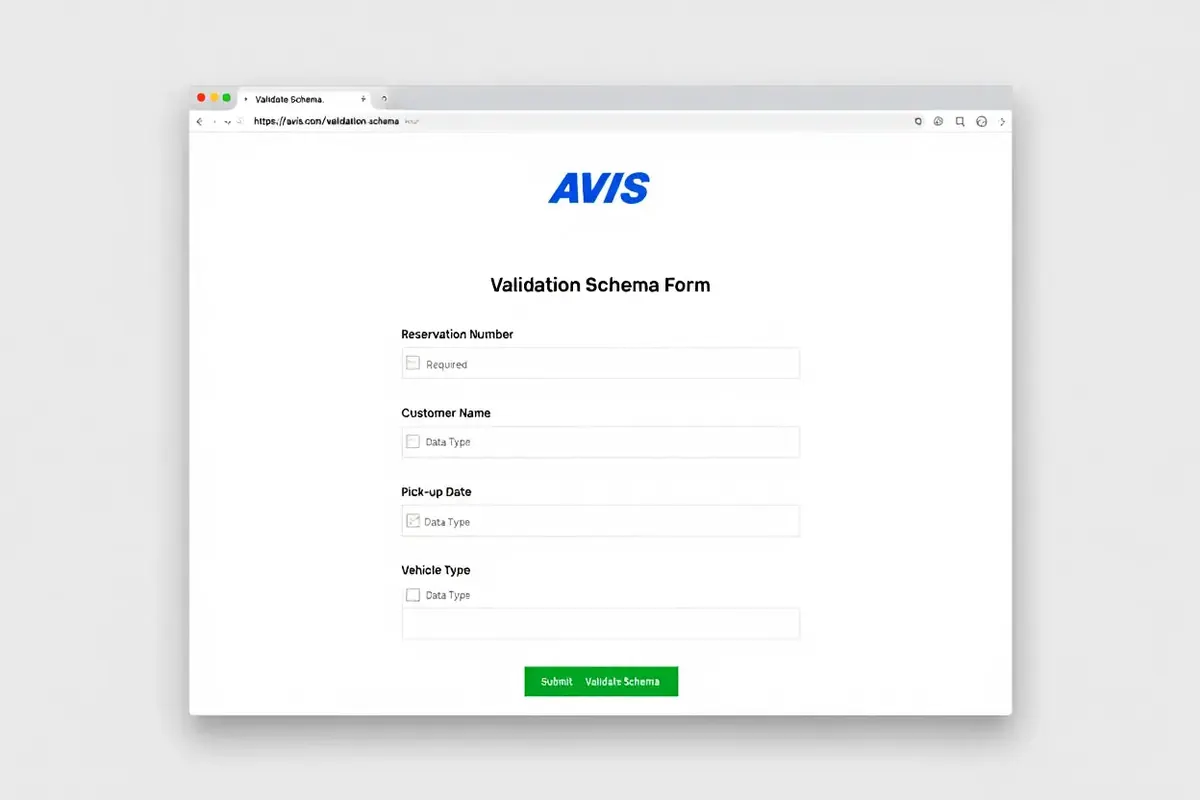
Setting up suitable markup is only the first step: you then need to make sure Google understands it correctly. The official structured data testing tools let you spot common errors and track the appearance of snippets in the SERPs. Regular checks ensure the visibility of rich results, increase clicks on Google Search and genuinely improve your CTR.
Testing structured data
Google's Rich Results Test (search.google.com/test/rich-results) is the go-to tool for checking whether a page can benefit from rich results. Just paste the URL or the full HTML code, then analyze the different blocks detected: review, aggregaterating, product or local business. If no block appears, it usually points to a problem in the schema: wrong placement, a syntax error or a missing required property. The tool then clearly lists the missing or incorrect fields.
The Schema Markup Validator (validator.schema.org) offers deeper analysis by comparing the JSON-LD with schema.org standards. It detects stray commas, misplaced quotation marks and incorrect types (such as a ratingValue entered as text instead of a number). With this schema validator, fix every significant warning, because the slightest error can make your markup invisible to Google's bots.
- URL Inspection: Through Google Search Console, trigger a crawl to confirm that your structured data is being picked up.
- Rich results: Regularly check the corresponding report to spot errors and pages eligible for review snippets.
- Indexing request: After each schema change, request reindexing to speed up the display of stars in the SERPs.
Consider building the Rich Results Test into your CI/CD process: a script can analyze the test environment and check the generated JSON. This automation prevents regressions and keeps your snippets compliant with Google's requirements.
Fixing common errors
The most frequent problems involve missing or badly formatted properties. For example, a ratingValue written as "4.5 stars" instead of simply 4.5 will be consistently rejected, because Google expects a decimal number. Likewise, the absence of author, datePublished or reviewBody in a Review will prevent rich results from displaying.
- Duplicated JSON-LD: Using the same block on several pages without adapting the values creates duplicate content that Google may ignore.
- Inconsistent values: A ratingValue higher than bestRating (such as 5.2 when bestRating is 5) triggers an immediate error.
-
Diverging content: Displaying "4.8 out of 5 (120 reviews)" while the schema says
"ratingValue":"4.5","reviewCount":"80"can trigger manual penalties.
To avoid these problems, use a single source for your data: retrieve reviews from Google Places or your database, calculate the average rating and the number of reviews, then sync these values between the visible content and the JSON-LD. Also check that the script isn't blocked by a misconfigured robots.txt or an iframe, so that crawlers can analyze it properly. If you are starting from scratch, first choose how to display Google reviews on your site before adding the markup.
Tools for review schema and markup
Manually creating JSON-LD for every page is time-consuming and error-prone. Fortunately, schema plugins and generators exist to simplify this task, letting even non-technical people implement professional schema.org markup types in a few clicks. Discover the most effective solutions here and learn how to connect your Google reviews widget with the right markup to optimize your SEO and appear in rich results.
Recommended plugins and generators
For WordPress, the All in One SEO (AIOSEO) and Rank Math plugins include features for schema.org structured data. Just select your schema type (Product, LocalBusiness), fill in the fields in the interface, and the schema plugin automatically injects the JSON-LD into the <head>. Schema Pro offers even more options with ready-to-use templates for Review, AggregateRating and other markup types such as FAQ or HowTo, while integrating your ACF or Pods fields.
- Google Structured Data Markup Helper: The official tool that visually guides you through marking up your page and automatically generates the JSON-LD or Microdata code.
- Schema App: A complete SaaS platform to create, deploy and monitor your structured data, with alerts when Google detects an error.
- Yoast SEO: Less complete than AIOSEO but automatically generates Organization and Person schemas, and lets you add reviews via extensions.
- Custom scripts: A solution for developers to query the Google Places API, retrieve reviews, and dynamically generate the AggregateRating markup.
Whichever tool you choose, always validate your code with the Rich Results Test before publishing. Some plugins add non-standard properties or forget required fields, which can prevent stars from appearing in Google rich results and hurt your visibility.
Widget and schema integration
When you use a Google reviews widget, make sure your JSON-LD schema tag reflects exactly the same average rating, the same number of reviews and the same Place ID as the widget. Place your <script type="application/ld+json"> block right after the widget container or load it with defer so that search engines can detect it without any user interaction. To choose the display format itself, browse our selection of guides on displaying reviews.
Is schema still relevant?
Despite the constant evolution of Google's algorithms, schema helps Google better understand your content and remains a key part of SEO. Rich results keep excellent visibility, and Review schema is particularly valued. Schema.org structured data also improves your visibility on voice assistants, mobile apps and other third-party platforms.
To go further, see our complete guide to integrating the Google reviews widget with concrete examples of syncing the widget with JSON-LD, plus tips for keeping your HTML code optimized and standards-compliant.
Frequently asked questions
What is a schema tag and why use it for reviews?
A schema tag is a piece of HTML code (written in JSON-LD, RDFa or microdata) that explains your content to search engines in a structured way. Applying this markup to customer reviews clearly shows the author, rating, date and text of the comment. Google can then highlight this information in rich results (such as the stars visible in the SERP). Adopting schema.org markup thus improves your visibility, strengthens credibility and can significantly increase your click-through rate, without directly affecting search ranking (SEO).
Is schema still relevant in 2025?
Absolutely! Schema remains an essential tool in 2025 for benefiting from rich results, which generate on average 10% to 30% more clicks than standard snippets. Google increasingly values precise structured data: a site that correctly displays its reviews, ratings and author names sends a positive signal to the algorithm. In addition, this markup prepares your content for voice assistants, mobile apps and future developments of the semantic web, ensuring the durability of your SEO strategy.
How do I add a Google reviews widget and Schema markup to my site?
Here's how to proceed:
- First add the reviews widget (badge, carousel or mosaic) by retrieving your Place ID on the Google platform.
- Then insert the HTML code provided by Google or through a dedicated plugin.
- Create a schema tag (
<script type="application/ld+json">) with a Product or LocalBusiness object, including the review and aggregaterating properties. - Make sure the ratingValue and reviewCount values match exactly those displayed in your widget.
To keep this data up to date automatically, connect to the Google Places API daily, cache the reviews on the server side and dynamically generate the JSON-LD. See our complete guide to integrating the widget and schema to discover all the implementation best practices, including no-code methods and advanced customization options.