Sommaire
Grâce à une alerte avis négatif bien configurée, vous pouvez immédiatement identifier et résoudre les problèmes soulevés par vos clients. Cette réactivité améliore considérablement leur expérience et démontre votre engagement envers la qualité de service.
Avant de répondre, mesurez l'enjeu : vous pouvez calculer combien d'avis il vous faut pour remonter votre note avec l'outil gratuit de monbizness.
Comment activer une alerte avis négatif efficace
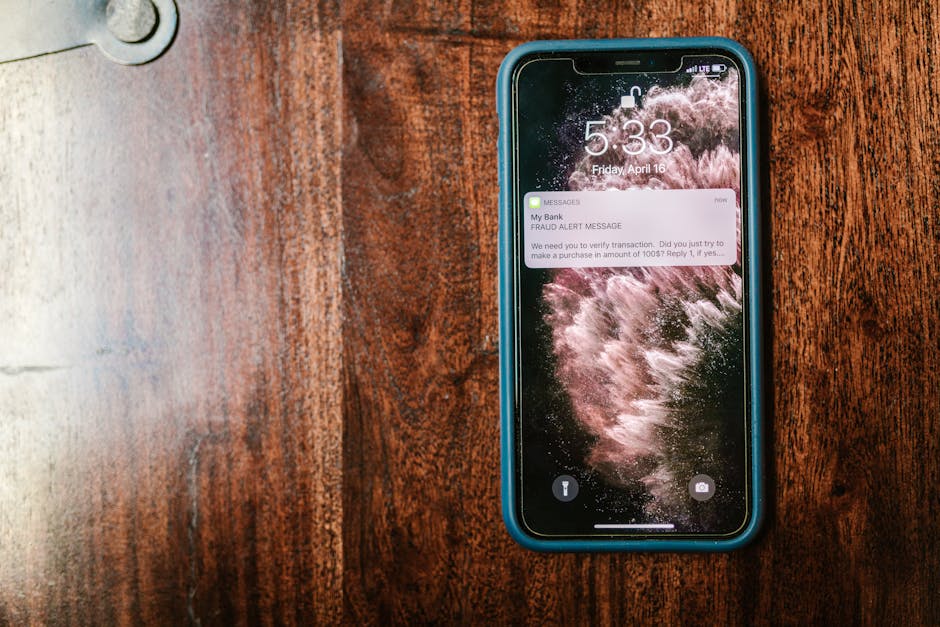
La meilleure stratégie consiste à anticiper les retours clients plutôt qu'à les subir. Configurez des alertes instantanées sur Google My Business et les principales plateformes d'avis. Notre solution "Gestion d'avis : Boostez votre Business" vous envoie une notification par e-mail ou SMS dès qu'un avis critique (1 étoile) apparaît. Imaginez recevoir à 18h un message signalant un nouvel avis négatif sur Google - vous pouvez réagir dans l'heure !

Configurer Google Notification et outil tiers
1. Activez les notifications des nouveaux avis dans votre Google Business Profile. Le système vous enverra automatiquement un e-mail contenant l'intégralité du commentaire.
2. Avec Zapier ou Slack, créez des alertes personnalisées du type : "[ACTION REQUISE] Nouvel avis 1★ de Marie Martin sur Google".
3. Automatisez la génération de tickets pour votre service client avec engagement de réponse sous 24h.
Filtrer et prioriser les retours
Pour optimiser votre gestion, paramétrez des filtres intelligents : mention de produits spécifiques, mots-clés comme "problème" ou le nom de votre entreprise. Seuls les avis réellement critiques (moins de 3 étoiles ou contenant des termes négatifs) déclencheront une alerte urgente - les autres sont compilés dans un rapport hebdomadaire.
Nous effectuons régulièrement des tests avec des avis simulés pour garantir que chaque notification parvient bien en moins d'une minute après publication.
Centraliser et suivre tous les avis
Rassemblez l'ensemble de vos retours (Google, Facebook, TripAdvisor) dans un seul outil de suivi. Une simple feuille Google Sheets ou un tableau Trello permet de monitorer chaque cas (date, note, statut, responsable). Votre équipe reçoit alors la notification et peut y apporter une réponse rapide, transformant potentiellement une expérience client négative en succès.
Modération proactive et gestion client
Notre système de modération intelligente détecte et filtre les faux avis en temps réel, tout en organisant vos réponses de façon structurée. Chaque retour client est traité sous 7 jours maximum, avec un classement automatique par thématique grâce à nos étiquettes intelligentes.
Identifier et signaler les faux avis
Nos experts examinent chaque avis pour repérer d'éventuels problèmes : contradictions, hors-sujet ou contenus inappropriés. Si un commentaire viole les règles de Google, nous le signalons sans délai via les outils adéquats.
Notre technologie inclut une base de mots sensibles (termes insultants, noms de concurrents, données privées) qui déclenche automatiquement des alertes pour prévenir tout risque réputationnel ou juridique.
Protocole en 7 étapes pour répondre aux avis négatifs
- Réagir rapidement (dans les 48h) avec calme pour désamorcer le mécontentement du client.
- Choisir le bon canal de réponse (public sur Google, privé par e-mail ou téléphone) selon l'origine de l'avis.
- Personnaliser chaque réponse en citant le nom du client, le problème évoqué et en signant avec le nom du conseiller.
- Proposer des solutions adaptées (remboursement, compensation ou échange) pour chaque situation.
- Transformer les retours négatifs en leviers d'amélioration, en communiquant sur les actions correctives.
- Établir des procédures claires (délais, ton, responsables) pour gérer efficacement les avis.
- Assurer un suivi personnalisé et proposer au client de mettre à jour son commentaire si la situation est résolue.
Centraliser la veille multi-plateformes
Notre plateforme regroupe tous vos canaux d'avis (Google My Business, Facebook, TripAdvisor) avec une veille unifiée. Des étiquettes comme "livraison problématique" ou "article défectueux" alertent directement les équipes concernées.
| Canal Avis | Notification | Suivi |
| SMS & e-mail instantané | CRM support | |
| Slack + rapport hebdo | Marketing | |
| TripAdvisor | Dashboard centralisé | Relation client |
Réponse personnalisée pour chaque avis client
La façon dont vous répondez aux retours clients a un impact direct sur votre image. En adoptant une approche personnalisée, empathique et orientée solutions, vous pouvez convertir un avis négatif en une opportunité de progression, tout en rassurant les futurs clients sur votre professionnalisme.

Personnaliser et humaniser la réponse
- Reconnaître et s'excuser avec sincérité : « Chère Sophie, nous sommes désolés que votre colis ait pris du retard. »
- Utiliser le prénom du client : Mentionnez toujours le prénom de la personne et faites référence aux détails précis de son expérience.
- Donner une touche humaine : Chaque réponse client doit être signée par un membre de votre équipe pour créer un lien personnel.
Proposer une solution concrète
Adoptez une démarche proactive : offrez une compensation (remise, échange), réglez rapidement le problème ou proposez un contact privé pour discuter des détails sensibles.
Inviter à la mise à jour de l'avis
Après avoir résolu le problème, contactez le client dans les 2 jours suivants pour vérifier sa satisfaction et suggérez-lui poliment de modifier son avis sur Google si nécessaire. Cette démarche renforce votre crédibilité et améliore votre visibilité en ligne.
Suivi client après réponse
Assurer un suivi après avoir répondu à un client est essentiel pour consolider votre relation. Envoyez une relance personnalisée et archivez chaque échange pour instaurer un climat de confiance propice à une fidélisation durable.
Vérifier la satisfaction après réponse
- Relance proactive : Prenez contact par e-mail ou téléphone dans les 2 jours suivant votre réponse initiale.
- Traçabilité des échanges : Conservez un historique détaillé dans votre CRM pour un suivi efficace.
- Évaluation des retours : Analysez régulièrement les avis clients pour mesurer l'impact réel de vos actions.
- Amélioration continue : Tirez parti des retours clients pour optimiser vos processus en permanence.
Encourager la révision de l'avis Google
Lorsqu'un client exprime sa satisfaction, invitez-le gentiment à mettre à jour son avis sur Google. Soulignez l'importance de son témoignage pour améliorer votre service et aider d'autres utilisateurs. Cette pratique vous permet d'identifier rapidement les points d'amélioration et d'éviter les problèmes récurrents.
Foire aux questions
Comment retirer un avis négatif ?
Si vous recevez un avis négatif qui semble non conforme, vous pouvez le signaler directement sur Google My Business. Notre équipe étudiera sa légitimité et pourra le supprimer s'il ne respecte pas les conditions d'utilisation. Pour en savoir plus, consultez notre guide complet sur la modération des avis Google.
Comment répondre efficacement à un avis négatif ?
Face à un avis négatif, nous vous conseillons une réponse rapide et personnalisée :
- Reconnaître le problème mentionné par le client
- Présenter des excuses sincères
- Proposer une solution concrète
- Inviter à poursuivre l'échange en privé si nécessaire
Découvrez toutes nos astuces pour transformer ces situations en opportunités : Comment répondre aux critiques pour améliorer votre relation client.
Pourquoi utiliser une alerte automatisée plutôt qu'un suivi manuel ?
Notre système d'alertes (par e-mail ou SMS) vous garantit :
- Une notification immédiate à chaque nouvel avis
- Plus aucun oubli dans le suivi client
- Des réponses ultra-rapides pour impressionner vos clients
Cette solution vous aide à professionnaliser et optimiser en continu votre gestion des retours sur Google, tout en gagnant un temps précieux.